 elepay
Webhook
概要
お客様のシステムと連携するために、elepay は開発者に非同期通知を処理する Webhook および関連ツールを提供しています。
Webhook
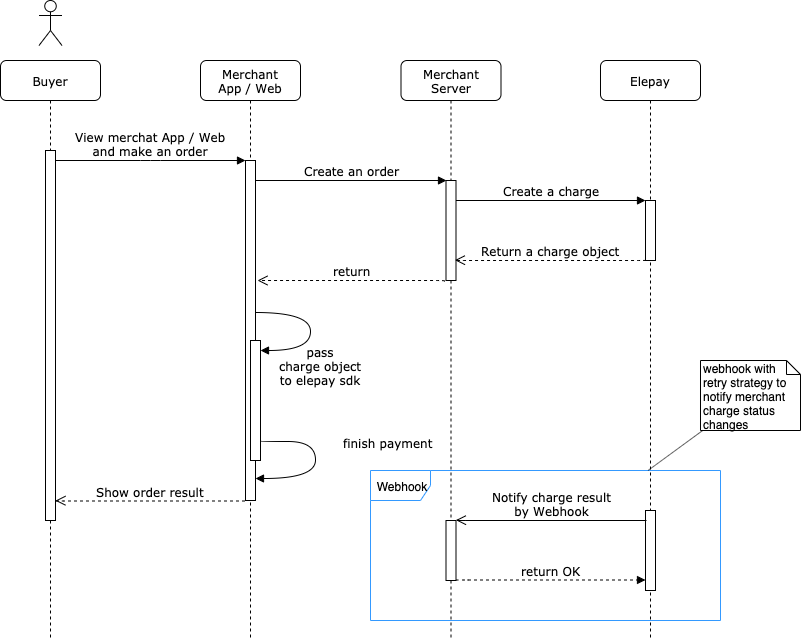
Webhook とは、あるサービスで発生したイベントの通知を、HTTP 経由の外部 URL で受け取る仕組みのことです。
ツール
Webhook 通知の送信とリクエストのログ、レスポンスのフォーマット検証などの開発ツールを提供しています。詳しくは開発ツールをご覧ください。
利用ガイド
利用シーン
Webhook を使うと、例えば下記のような elepay で起きたイベントを、任意の URL に対して通知することができます。
- 支払いが正常に行われたとき
- 返金が正常に行われたとき
elepay の管理画面から送信先 URL を追加するだけで、上記のようなイベントが自動的に通知されるようになります。
利用の設定
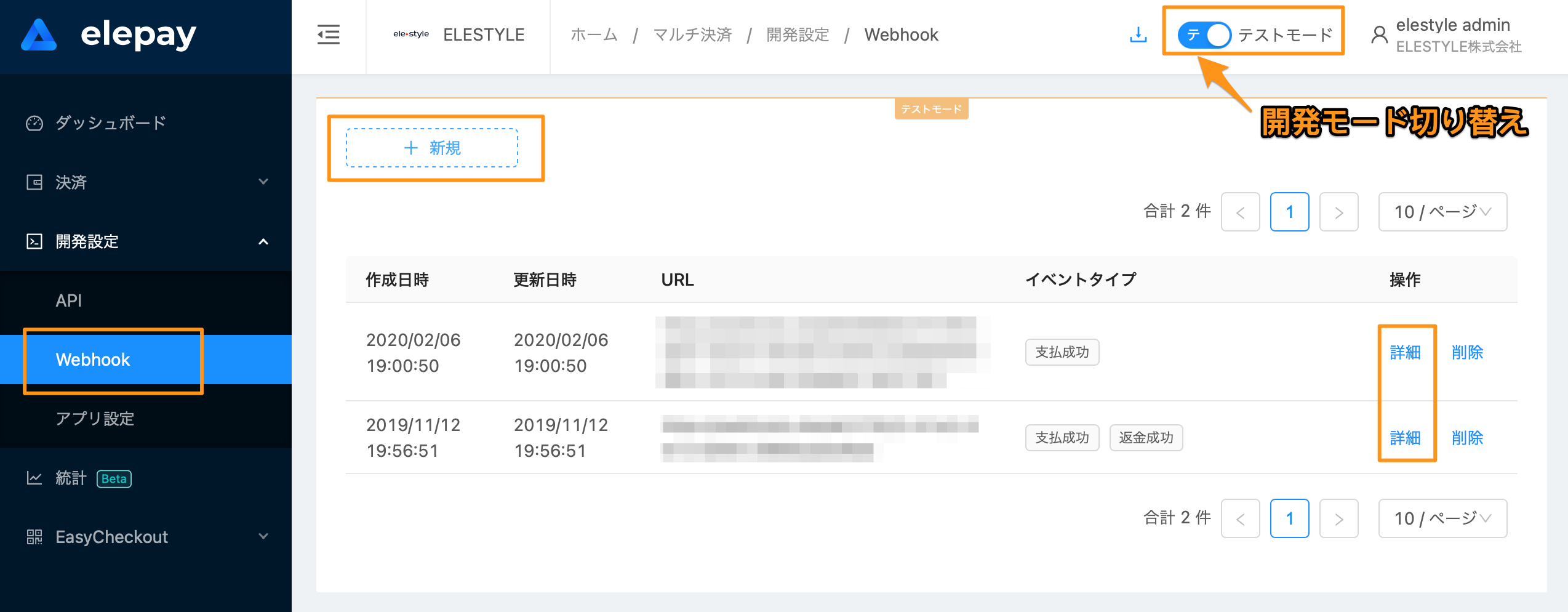
elepay の管理画面にログインして、下記の管理画面から Webhook の送信先を追加できます。URL を入力し、イベントタイプを選択し、最後に追加を押せば完了です。Webhook 送信先は複数追加することが可能です。
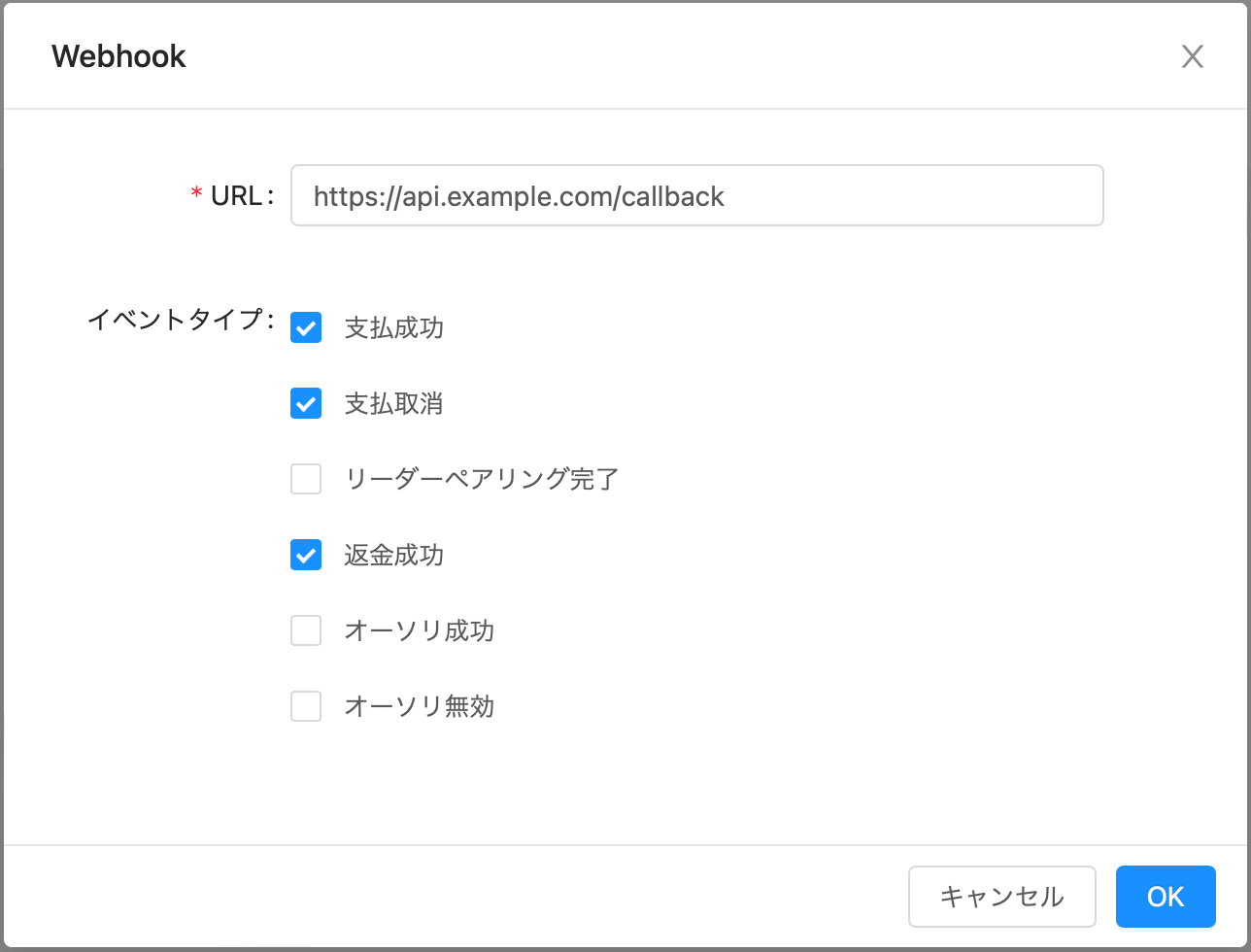
1. Webhook URL
「開発設定/Webhook」にて Webhook 通知を受ける URL を指定できます。
2. Test モードと Live モード
Test モードと Live モード両方サポートしています。管理画面の上にある Test / Live モード切り替えボタンによって、両方の設定を管理できます。
3. Webhook イベント
elepay は Webhook の通知イベントを定義しています。後述のようなイベントが起きた時に該当する Webhook の通知が送信されます。
リクエスト
elepay の Webhook はすべて POST リクエストで送信され、リクエストボディには、イベントの JSON データが含まれています。
イベントの一覧
下記は実際に elepay から送信されるイベントの種類です。それぞれの内容に応じて、イベントの JSON データが送信されます。 type はイベントの JSON データに含まれます。
| タイプ | 内容 |
|---|---|
charge.succeeded | 支払い成功 |
charge.revoked | 支払い取消し |
charge.waiting | コンビニ店頭で受付・スキャンされた通知 |
charge.notified | コンビニ店頭の受付・速報系通知 |
charge.mismatched | 銀行振込で入金額が請求金額と一致しなかった場合に通知 |
refund.succeeded | 返金成功 |
source.activated | オーソリ成功 |
source.inactivated | オーソリ無効 |
reader.activated | リーダーペアリング完了 |
subscription.renewed | 定期課金の周期更新 |
subscription.paused | 定期課金の一時停止 |
📘
charge.waiting/charge.notified/charge.mismatchedはコンビニ決済・銀行振込でのみ発生します。charge.mismatchedは入金額の不一致であり、加盟店側での対応が必要です。
下記は、1800円の支払いが成功したときに Webhook で送信されるイベントのデータ例です。
{
  "id": "evt_la06CoQAiPojSgJKe5gt3nwq",
  "object": "event",
  "createTime": 1543944030817,
  "liveMode": false,
  "type": "charge.succeeded",
  "data": {
    "object": {
      // Charge Object
    }
  }
}
data にはイベントの詳細内容が入ります。API で返ってくるレスポンスと同様の JSON データです。
通知の受け取り
正常処理
Webhook 通知を正しく受け取った場合、2xx の HTTP ステータスコードを返してください。
異常処理
Webhook 通知の受け取りに異常がある場合、必ず 4xx や 5xx の HTTP ステータスコードを返してください。その場合、elepay は自動的にリトライを行います。リトライは 5 回(初回配信を除く)、累計 6 回の配信となり、約 21 分で打ち切ります。
それでも正常に受け取れなかった場合は、別途同期APIをご利用いただき、同期処理で決済結果を同期してください。
| リトライ | 前回配信からの間隔 | 初回配信からの経過時間 |
|---|---|---|
| 1 回目 | 5 秒 | 約 5 秒 |
| 2 回目 | 15 秒 | 約 20 秒 |
| 3 回目 | 1 分 | 約 1 分 20 秒 |
| 4 回目 | 10 分 | 約 11 分 20 秒 |
| 5 回目 | 10 分 | 約 21 分 20 秒 |
⚠️ 初回のリトライは 5 秒後に届きます。 冪等性の判定期間を分単位で設計しないでください。同一イベントの重複配信は常に発生しうるため、
idによる冪等処理を必ず実装してください。上記はプラットフォーム既定値です。加盟店ごとの個別設定には対応しておりません。
正当性
elepay のサーバーからのすべての Webhook には elepay-Signature
がヘッダーに含まれています。 具体的には下記のような内容となっています。
形式:
elepay-Signature: t=[タイムスタンプ],sign=[署名値]

例:
elepay-Signature: t=1581064080,sign=100dcc3d839c89cd91ecdd23d7305b2fdb8ae73b498c27efd812b25fc86ec702
📘 HTTP ヘッダー名は大文字小文字を区別しません(RFC 9110)。フレームワークが提供する大文字小文字を区別しない取得方法をご利用ください。リテラルの完全一致で取得しないでください。
正当性チェックロジック
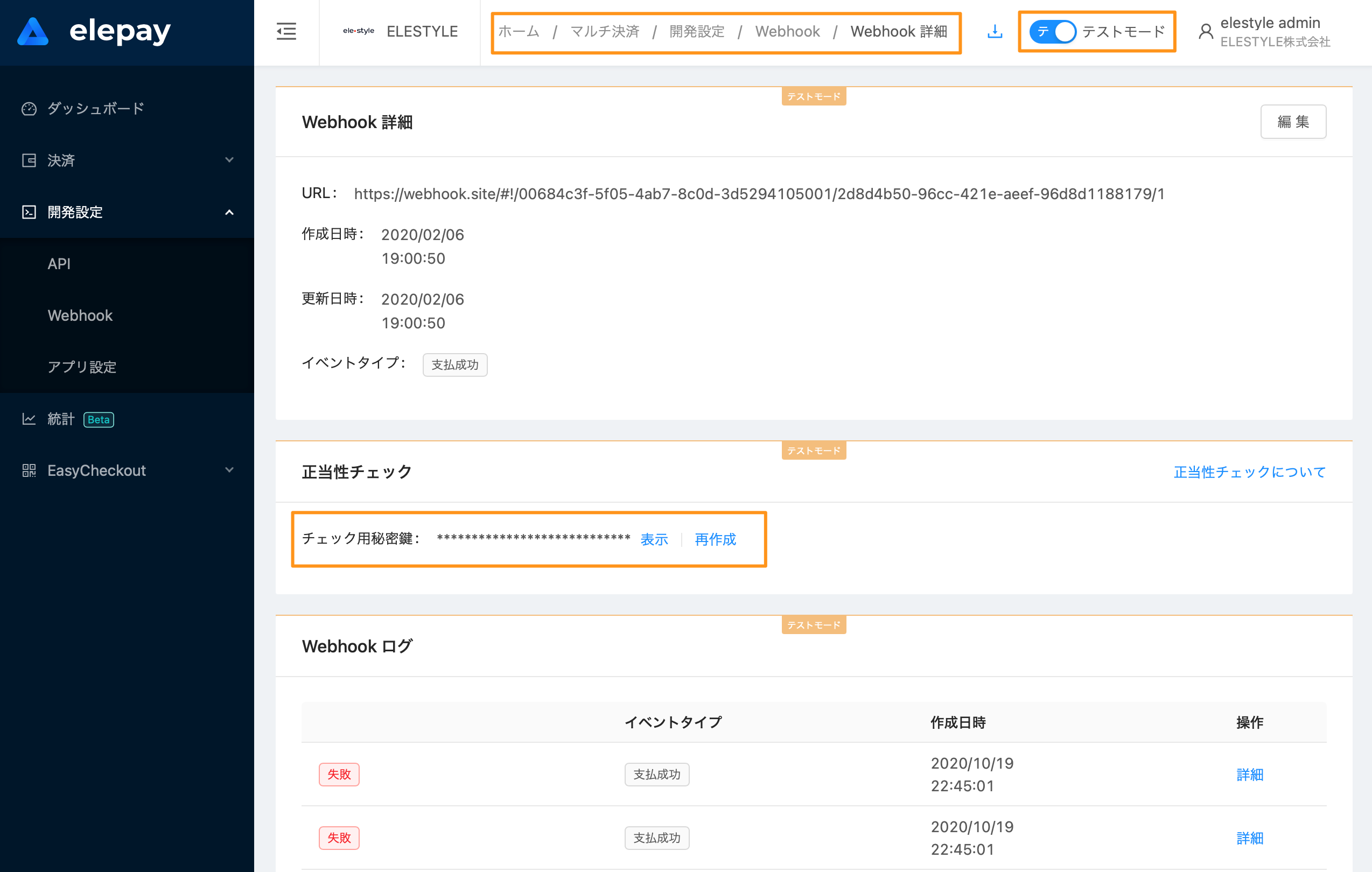
この値にタイムスタンプと署名 チェック用秘密鍵を使って、HMAC-SHA256 署名アルゴリズムで暗号化されています。 チェック用秘密鍵は管理画面の Webhook 詳細画面で確認できます。再作成もできます。
- ヘッダーからタイムスタンプと署名値を取り出します。
- リクエストからボディデータを取り出します。
- 「1で取得したタイムスタンプ + "." + 2で取得した内容」を作成します。
- チェック用秘密鍵を使って、3で作成した文字列をHMAC-SHA256アルゴリズムで署名します。
- 4で作成した文字列と1で取得した署名値を比べて、正当性をチェックします。
実装時の注意
- 署名対象は生のリクエストボディです。パースしてから再度シリアライズした内容で検証しないでください。
- タイムスタンプの許容誤差は既定で 300 秒です。 公式 Java SDK の
Webhook.verifyHeader(payload, sigHeader, secret)がこの値を採用しており、t=が現在時刻から 300 秒以上ずれている場合(過去・未来のいずれも)はリプレイ攻撃として拒否します。 sign=を 1 つしか読まない実装にしないでください。 現在の配信ではsign=は 1 つですが、SDK の検証は,区切りの値をすべて走査し、いずれか 1 つが一致すれば正当と判定します。自前実装も同じ扱いにしてください。- 自前実装より公式 SDK の
Webhook.verifyHeaderのご利用を推奨します。
最終更新日