 elepay
返金処理
elepay では返金機能も提供しています。お客様のサーバー側の処理で API を利用して返金することも可能です。
API を利用して返金
1. 返金リクエスト
お客様のサーバー側の処理が API の 返金作成 を呼び出し、返金をリクエストします。
2. 戻り値の判断
elepay サーバーは、返金リクエストに対して Refund オブジェクトを返します。
返金リクエストを正しく受け取った場合、Refund オブジェクトの failure_msg は Null になります。
3. Webhook イベントの受信
返金が成功した場合、elepay は Webhook に設定された URL に
イベント通知を送信します。
管理画面での返金
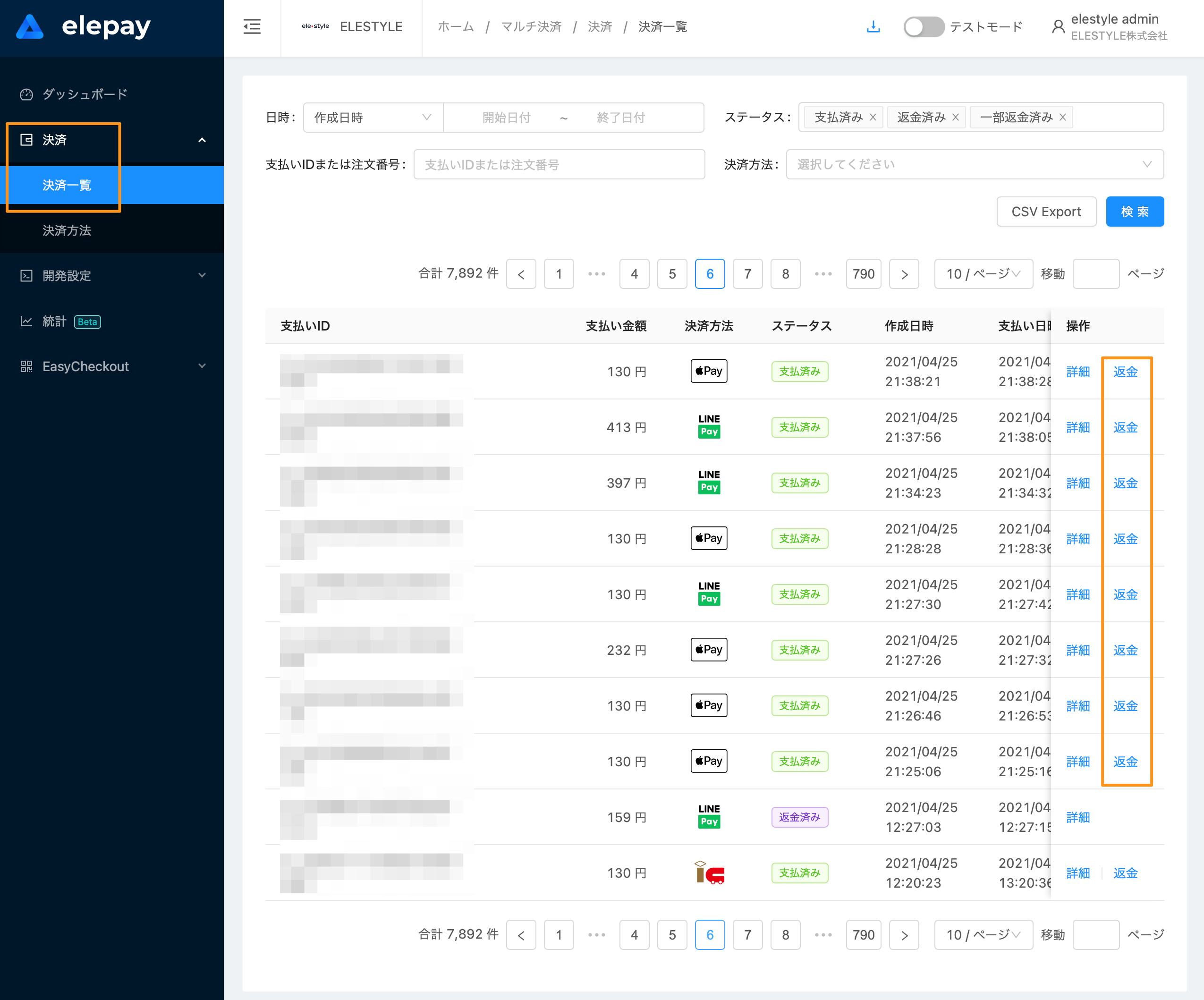
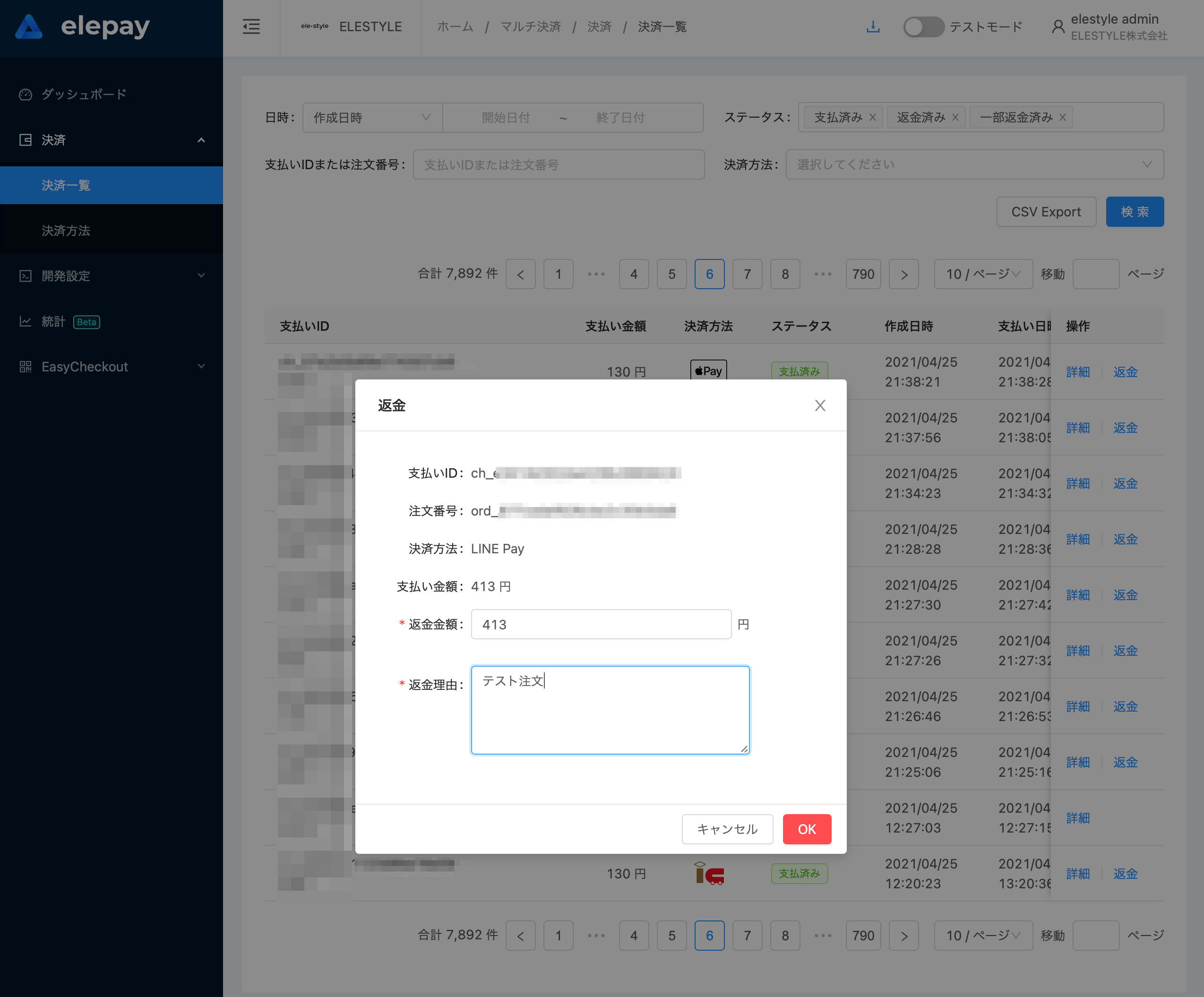
「支払い管理 / 支払い一覧 」にて指定された支払いレコードを返金することができます。
📘 返金可能な期限
返金可能な期限は、売上作成日より90日以内となります。
❗️ 返金リクエストと返金済み
返金処理は非同期処理です。返金をリクエストされても、すぐに返金済みにはならない可能性があります。
最終更新日